

Fashion PLM vs ERP: Best Practices for Accurate Tech Pack Management
A tech pack is only as useful as the data inside it. In fashion, that data starts life in the messy, creative part of the process, then has to survive the handover into costing, purchasing, production, and stock control without being retyped, reinterpreted, or quietly “fixed” in five different spreadsheets.
That is where the PLM vs ERP conversation really matters. PLM keeps product development details consistent, ERP turns those details into real-world operations. When teams understand what belongs where, and how information should move between systems, tech packs stay accurate and production stops being a guessing game.

What is the difference between PLM and ERP in fashion?
In simple terms, PLM is built around the product, and ERP is built around the business.
A PLM system helps you define what the product is. It is where you capture specifications, materials, measurements, construction notes, and approvals, and where you manage changes as a style evolves. It is also where you keep a clean history of decisions, so you are not relying on someone’s inbox or a folder of old PDFs.
An ERP system helps you run the engine room. It is where you plan production, manage purchasing, control costing, track orders, and see inventory and stock movements. It connects the product to suppliers, factories, lead times, and financial outcomes.
What should live in PLM?
PLM software is the natural home for the parts of a tech pack that define the product:
- Construction details, stitching, trims, and finish notes
- Bill of materials, including components, placements, and alternates
- Size specs and measurement charts
- Colourways and artwork references
- Fit comments, sample feedback, and approvals
- Version control, so you can see what changed and why
Even if your teams use Illustrator or another design tool to create the visual layout of a tech pack, the core data still needs one canonical record. Otherwise, every export becomes a mini project, and each handover is a chance for mistakes.
What should live in ERP?
ERP is where product data becomes operational and commercial. In an ERP system vs PLM setup, ERP typically owns:
- Costing, margins, and pricing workflows
- Purchasing, supplier management, and purchase orders
- Production planning, work orders, and factory timelines
- Sales orders, allocations, and delivery tracking
- Inventory, warehouse movements, and stock valuation
ERP needs product data that is reliable and ready to action. It should not be the place where teams are still debating measurements or swapping out trims, because every late change ripples into purchase orders, factory packs, and delivery schedules.
Why integration matters, and why it is not as common as you would hope
In the real world, PLMs and ERPs that integrate natively are not common in fashion without expensive, bespoke development. Many brands end up exporting tech packs from a PLM, or even from Illustrator, then importing that information into ERP manually.
That often looks like CSV files, copy and paste, and lots of “quick checks” in the run-up to production. It works until it does not. The bigger your range, the more colourways you run, and the more suppliers you work with, the more likely it becomes that one small mismatch turns into rework, delays, or a costly production error.
When your product workflow is connected, the handover is smoother. You reduce duplicate data entry, keep everyone working from the same version, and make it easier for teams to spot changes before they become expensive.

Best practices for accurate tech pack data between ERP and PLM
Even if your systems are not fully integrated, you can still build a workflow that protects accuracy. These best practices help teams make the PLM vs ERP relationship work in day-to-day operations.
1) Decide the authoritative home for each data type
Be explicit. Measurements, BOM detail, and construction notes should be owned in PLM. Costing, suppliers, purchase orders, and stock should be owned in ERP.
If a field appears in both systems, agree on which one “wins” and document it. Otherwise, people will do what feels quickest, and you will end up with two competing versions of the story.
2) Standardise the structure of your tech packs
A tech pack should be predictable. Use consistent naming for components, sizes, and colourways. Use clear units of measure. Avoid free text where a controlled option list would prevent typos.
3) Use version control like you mean it
In fashion, changes are normal. What causes problems is untracked change.
Set a simple rule: only release a tech pack version when it is production-ready, and only raise purchase orders against that released version. If the product changes, raise a new version and make the change visible.
4) Map fields before you map systems
A lot of integration pain comes from unclear definitions. Before you connect PLM to ERP, map what each field means.
For example:
- Does “fabric code” mean a supplier’s reference, an internal material ID, or both?
- Are you storing finished garment measurements, pattern measurements, or tolerance ranges?
- Does the BOM include alternates, or only the approved components?
5) Build a release and handover checklist
Create a short checklist for tech pack handover, then use it every time. It might include:
- BOM complete, with placements and alternates confirmed
- Measurement chart checked, tolerances added
- Artwork files referenced and approved
- Care labels, packaging, and compliance notes confirmed
- Supplier-ready summary included
6) Avoid parallel spreadsheets
If a spreadsheet becomes the real place where BOM updates happen, the system stops being the system.
If you need a temporary working view, keep it read-only where possible, and make sure the update goes back into the correct tool quickly. Parallel documents are where duplication, drift, and mistakes take root.
The risks of duplication, and the payoff of connected workflows
When PLM and ERP are not aligned, the same style can end up with different materials, different costs, or different measurements depending on who you ask. That is not just an admin problem, it is a margin problem and a delivery problem.
Common symptoms include:
- The factory pack does not match the latest approved fit comments
- Purchasing orders trims based on an older BOM
- Costing is built on out-of-date consumption rates
- The warehouse receives product that does not match what sales promised
Bringing it back to the way fashion teams actually work
Many fashion businesses do not have the luxury of perfectly integrated systems. That is why it helps to focus on principles first.
If PLM software protects the product blueprint, and ERP systems reflect operational reality, then your job is to keep the handover clean. Make it obvious where tech packs should live, reduce manual re-entry, and give everyone confidence that the data they are working from is current.
Contact us for more information, to book a demo, or to learn more about our ERP and PLM systems.

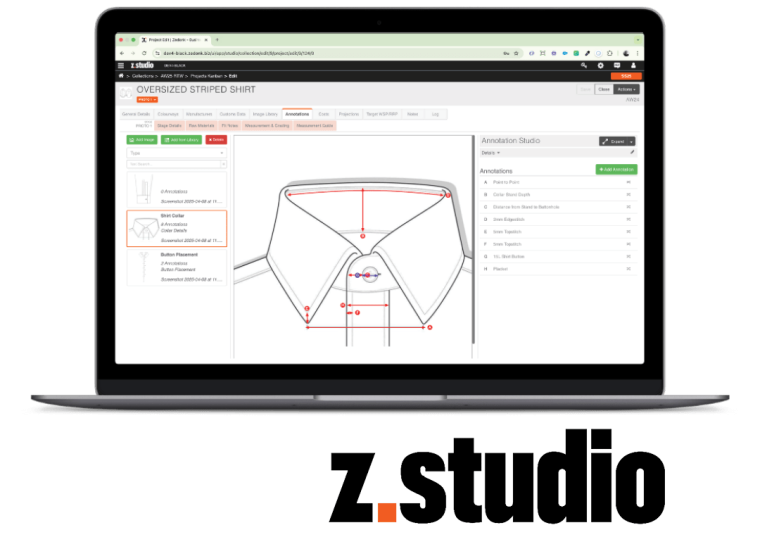 A New Sampling & Tech Pack Solution from Zedonk.